

Google Meet VS Zoho Meet: Which Video Conferencing Tool Wins in 2025?
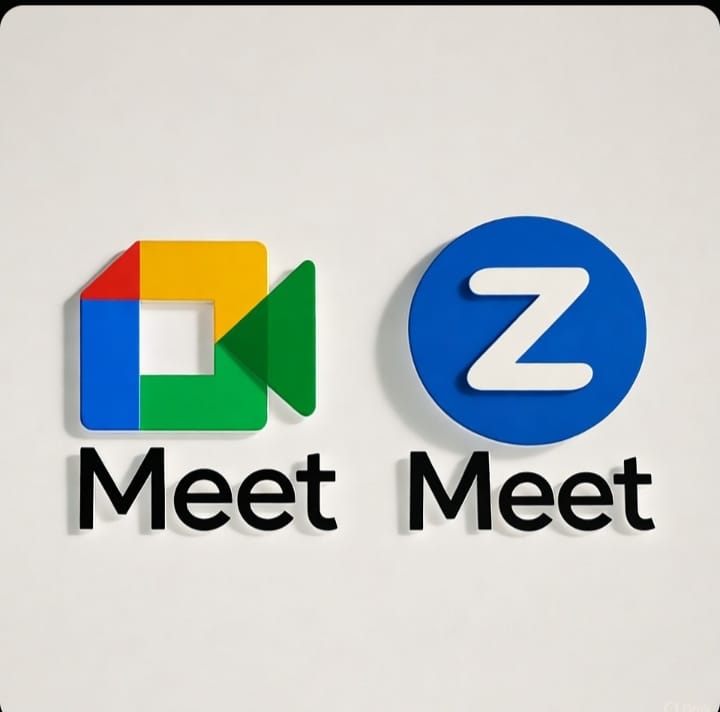
Google Meet VS Zoho Meet has become one of the most discussed comparisons in the world of online meetings and virtual collaboration. As remote work and online communication continue to grow in 2025, choosing the right video conferencing tool is crucial for productivity and professionalism. Both Google Meet and Zoho Meet offer powerful features, but which one truly meets your business needs? In this blog, we’ll explore the differences, Zoho Meet features, Zoho Meet benefits, and answer the big question — is Zoho Meet is better then Google Meet?
What is Google Meet?
Google Meet is a video conferencing platform developed by Google, designed for seamless integration with Google Workspace (formerly G Suite). It allows users to host and join meetings, webinars, and virtual events from any device. Its simplicity, reliability, and integration with Gmail, Calendar, and Drive make it a top choice for millions.
What is Zoho Meet?
Zoho Meet, developed by Zoho Corporation, is a secure online meeting and webinar platform designed for professionals who prioritize privacy, customization, and affordability. It integrates seamlessly with other Zoho apps such as Zoho CRM, Zoho Mail, and Zoho Projects. With its growing popularity, many businesses are now asking, is Zoho Meet is better then Google Meet?
User Interface and Ease of Use
Google Meet
Google Meet offers a clean, minimalistic interface. Joining a meeting is as simple as clicking a link or joining via Google Calendar. It’s ideal for quick meetings and doesn’t require any software installation — everything runs through the browser. Its mobile app is also lightweight and easy to use.
Zoho Meet
Zoho Meet provides a more feature-rich interface, especially for businesses that need advanced control. While it might feel slightly more complex initially, its intuitive dashboard helps you schedule meetings, manage participants, and record sessions efficiently.
✅ Zoho Meet features like “Raise Hand,” “Lock Meeting,” and “Moderator Controls” enhance meeting professionalism.
Verdict:
- If you prefer simplicity — Google Meet wins.
- If you want control and customization — Zoho Meet is the better choice.
Key Features Comparison: Zoho Meet Features vs Google Meet
Zoho Meet Features
When comparing Google Meet VS Zoho Meet, the depth of Zoho Meet features stands out. Here are some of its highlights:
- Screen Sharing: Share entire screens, specific applications, or browser tabs.
- Custom Branding: Add your company logo and colors to your meeting interface.
- Recording & Storage: Record meetings and store them in the Zoho cloud securely.
- Moderator Controls: Mute, remove, or lock participants easily.
- Polls and Q&A: Engage participants with interactive polls and live Q&A sessions.
- Webinar Mode: Host webinars with up to 3,000 attendees.
- End-to-End Encryption: Ensures complete security for all meetings.
- Browser-Based Meetings: No app downloads required.
Google Meet Features
Google Meet offers all the essentials for modern virtual collaboration:
- Live Captions: Real-time transcription powered by Google’s AI.
- Noise Cancellation: Automatically filters background noise.
- Screen Sharing and Whiteboard (Jamboard): Easy for collaboration.
- Recording: Save recordings directly to Google Drive.
- Breakout Rooms: Split participants into smaller discussion groups.
- Google Workspace Integration: Connects with Gmail, Docs, Sheets, and Calendar seamlessly.
Verdict:
Both tools are powerful, but Zoho Meet features give you more flexibility in hosting secure, branded, and interactive sessions.
Security and Privacy
Security is one of the biggest concerns in video conferencing — and when comparing Google Meet VS Zoho Meet, both platforms take it seriously.
Google Meet Security
- Encrypted in transit using TLS standards.
- Host controls for admitting or removing participants.
- 2-step verification and Google account protection.
Zoho Meet Security
- End-to-End Encryption on all meetings.
- Data hosted on secure, privacy-compliant Zoho servers.
- GDPR and HIPAA compliance.
- Advanced moderator settings to lock or restrict entry.
Verdict:
When it comes to data privacy, Zoho Meet benefits users who value independence from big tech ecosystems. Zoho Meet stores all your data securely within its own infrastructure, offering more transparency.
Integrations: Zoho Ecosystem vs Google Workspace
Google Meet Integrations
Google Meet shines when it comes to integrations with Google Workspace apps. You can join meetings directly from Gmail, schedule through Google Calendar, or share files from Google Drive in real time.
Zoho Meet Integrations
Zoho Meet seamlessly integrates with Zoho CRM, Zoho Projects, Zoho Mail, and other Zoho applications. For businesses already using the Zoho ecosystem, this creates a unified experience. It also connects with third-party platforms like Outlook, Slack, and Zapier.
Verdict:
- If your team already uses Google Workspace, stick with Google Meet.
- If your business runs on Zoho apps, Zoho Meet integration is unbeatable.
Performance and Reliability
Both platforms perform well, but they cater to slightly different audiences.
- Google Meet benefits from Google’s massive cloud infrastructure, ensuring fast, reliable connections even with large groups.
- Zoho Meet, on the other hand, offers stable performance and is optimized for smaller and mid-sized businesses.
Even with limited bandwidth, Zoho Meet features adaptive video streaming, ensuring clear audio and video quality.
Pricing: Value for Money
Google Meet Pricing
Google Meet is included with Google Workspace subscriptions.
- Free Plan: 60-minute meetings, up to 100 participants.
- Business Starter: ₹136/month per user.
- Business Standard: ₹736/month per user (recording, breakout rooms).
- Enterprise Plan: Custom pricing.
Zoho Meet Pricing
Zoho Meet offers flexible plans:
- Free Plan: 60-minute meetings for up to 100 participants.
- Meeting Plan: ₹100/month per host (extended duration, recording).
- Webinar Plan: ₹800/month per host (large events up to 3,000 attendees).
Verdict:
In Google Meet VS Zoho Meet, Zoho Meet offers more affordable plans, making it ideal for startups, educators, and small businesses.
Webinar Hosting Capabilities
One area where Zoho Meet benefits shine is webinar hosting.
Zoho Meet for Webinars
- Host up to 3,000 attendees.
- Conduct Q&A sessions, polls, and surveys.
- Automate registration and email reminders.
- View analytics and attendee engagement reports.
Google Meet for Webinars
Google Meet doesn’t have a dedicated webinar platform. You can host large meetings, but it lacks marketing and engagement features like registration pages, polls, and attendee analytics.
Verdict:
For businesses conducting marketing webinars or online events, Zoho Meet is far superior.
Customer Support
Google Meet Support
Google offers help center articles, community forums, and email support. Enterprise users get premium support options.
Zoho Meet Support
Zoho Meet provides 24/5 customer support via chat, email, and phone. The support team is responsive and available even for smaller businesses.
Verdict:
Zoho Meet benefits small teams that need quick, personalized assistance.
User Experience: Real-World Feedback
Users who have switched to Zoho Meet often highlight its smooth webinar experience, better control features, and strong privacy standards. On the other hand, Google Meet users appreciate its simplicity, fast setup, and integration with familiar Google apps.
User Opinions Summary:
- “Google Meet is best for quick, simple meetings.”
- “Zoho Meet is a complete professional tool for webinars and client sessions.”
So, is Zoho Meet is better then Google Meet?
For personal or quick meetings — Google Meet wins.
For professional, secure, and interactive meetings — Zoho Meet leads.
Final Verdict: Google Meet VS Zoho Meet
When comparing Google Meet VS Zoho Meet, it’s not just about video calls — it’s about purpose, budget, and ecosystem.
| Feature | Google Meet | Zoho Meet |
|---|---|---|
| Ease of Use | ✅ Very Simple | ⚙️ Slightly Advanced |
| Pricing | 💰 Higher | 💸 Affordable |
| Custom Branding | ❌ No | ✅ Yes |
| Security | ✅ Strong | 🔒 Stronger (End-to-End) |
| Webinar Hosting | ⚙️ Limited | 🎥 Powerful |
| Integrations | 🧩 Google Workspace | 🧩 Zoho Ecosystem |
| Support | 📧 Email Only | 💬 Chat + Call |
| Ideal For | Quick Meetings | Professional Webinars |
Why Businesses Are Switching to Zoho Meet
Zoho Meet benefits are driving many organizations to adopt it over big names like Google Meet. Some of these benefits include:
- Affordable pricing for small teams.
- Complete data privacy — no ads, no data sharing.
- Seamless Zoho ecosystem integration for CRM, Mail, and Projects.
- Advanced webinar and moderation tools.
- Custom branding options to maintain a professional image.
So, if your question is — “Is Zoho Meet is better then Google Meet?”, the answer depends on your priorities.
If you value control, branding, and affordability, Zoho Meet clearly wins.
If you prioritize speed and simplicity, Google Meet remains a solid option.
Conclusion
In 2025, both Google Meet and Zoho Meet continue to empower remote work and virtual communication. But the final choice depends on your goals:
- Choose Google Meet for casual, quick, or internal team meetings within Google Workspace.
- Choose Zoho Meet for secure, feature-rich, and branded professional meetings and webinars.
Ultimately, in the Google Meet VS Zoho Meet debate, Zoho Meet stands out for its affordability, privacy, and extensive business tools — making it the ideal solution for professionals who want control without compromise.