



What Is Google Search Console?
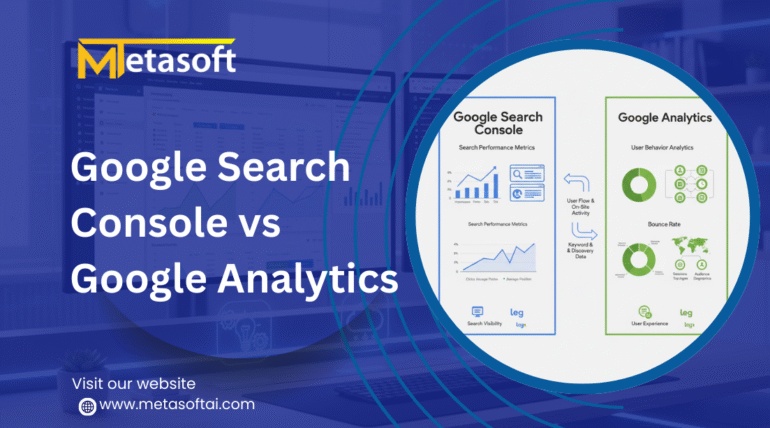
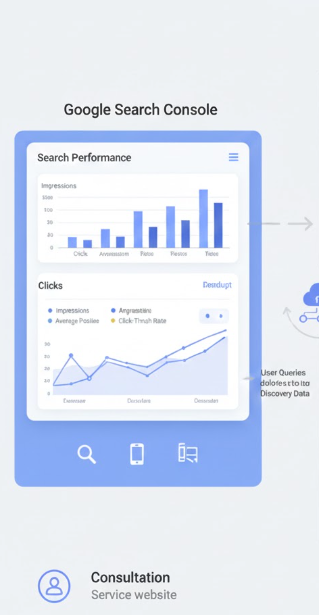
Google Search Console (GSC) is a free tool provided by Google that helps website owners monitor, maintain, and troubleshoot their site’s presence in Google Search results.
Unlike analytics tools that focus on user behavior, Google Search Console focuses on search performance and technical SEO.
Key Features of Google Search Console
- Search queries and keyword performance
- Clicks, impressions, CTR, and average position
- Indexing status of web pages
- Sitemap submission and monitoring
- Crawl errors and coverage issues
- Core Web Vitals and page experience
- Mobile usability reports
- Manual actions and security issues
- Backlink analysis
For service-based websites, Google Search Console is invaluable for improving organic visibility, fixing SEO issues, and understanding how potential clients find your services through search engines.
What Is Google Analytics?
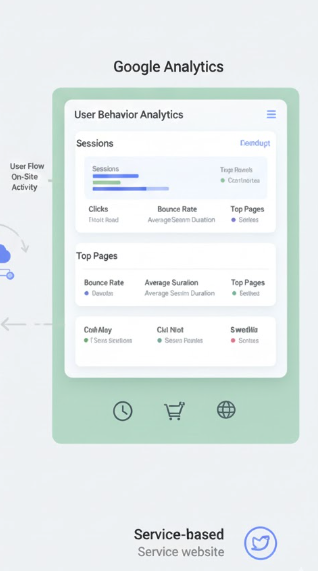
Google Analytics (GA) is a comprehensive website analytics platform that tracks user behavior, traffic sources, engagement, and conversions on your website.
It tells you what users do after they land on your site, making it essential for understanding customer journeys and ROI.
Key Features of Google Analytics
- Website traffic analysis
- User demographics and location
- Traffic sources (organic, paid, social, referral)
- Bounce rate and engagement metrics
- Page views and session duration
- Conversion tracking and goal setup
- Event tracking
- Funnel analysis
- E-commerce tracking (if applicable)
For service-based websites, Google Analytics helps measure lead generation performance, contact form submissions, calls, and overall user engagement.
Google Search Console vs Google Analytics: Core Differences
| Feature | Google Search Console | Google Analytics |
|---|---|---|
| Focus | Search performance | User behavior |
| Data Source | Google Search | Website interactions |
| Keyword Tracking | Yes (organic keywords) | Limited (mostly hidden) |
| Traffic Analysis | Limited | Detailed |
| Conversion Tracking | No | Yes |
| Technical SEO | Strong | Weak |
| Indexing Issues | Yes | No |
| User Behavior | No | Yes |
| Best For | SEO & visibility | Leads & performance |
Understanding these differences is crucial when deciding which tool is best for service-based websites.
Why Service-Based Websites Need Google Search Console
Service-based businesses rely heavily on organic search traffic for lead generation. Google Search Console directly impacts your ability to rank and be discovered.
Benefits of Google Search Console for Service-Based Websites
1. Keyword Performance Insights
GSC shows which service-related keywords are driving impressions and clicks. This helps optimize pages like:
- “SEO services near me”
- “Digital marketing agency”
- “Legal consultation services”
- “IT support services”
2. Improve Organic Rankings
By analyzing average position, CTR, and impressions, service businesses can refine title tags, meta descriptions, and content.
3. Fix Indexing Issues
If your service pages are not appearing on Google, Search Console helps identify:
- Noindex tags
- Crawl errors
- Server issues
- Sitemap problems
4. Enhance Local SEO
Service-based websites targeting specific locations benefit from Search Console’s query and page data, which reveals how local users find your business.
5. Monitor Website Health
Core Web Vitals, mobile usability, and security issues directly affect rankings and client trust.
Why Service-Based Websites Need Google Analytics
While Google Search Console tells you how users find you, Google Analytics tells you what users do after they arrive.
Benefits of Google Analytics for Service-Based Websites
1. Track Lead Generation
Service-based websites depend on leads, not product sales. Google Analytics tracks:
- Contact form submissions
- Call button clicks
- Email clicks
- Appointment bookings
2. Understand User Behavior
GA shows:
- Which service pages perform best
- Where users drop off
- How long users stay on your site
3. Measure Marketing ROI
Whether traffic comes from SEO, Google Ads, social media, or referrals, Google Analytics measures performance accurately.
4. Improve Conversion Rates
By analyzing landing pages, funnels, and engagement, service businesses can optimize CTAs and content placement.
5. Audience Insights
Location, device type, and behavior insights help tailor services to your target audience.
Google Search Console vs Google Analytics: SEO Perspective
From an SEO standpoint, Google Search Console is the foundation, while Google Analytics is the performance tracker.
Google Search Console for SEO
- Keyword optimization
- Indexing and crawling
- Technical SEO
- Page experience
- Search visibility
Google Analytics for SEO
- Organic traffic analysis
- Engagement metrics
- Conversion performance
- Landing page optimization
For service-based websites focused on long-term growth, using both tools together is essential.
Which Tool Is Best for Service-Based Websites?
The honest answer is:
Neither tool alone is enough.
Use Google Search Console If:
- You want to improve organic rankings
- need keyword and impression data
- You want to fix SEO and indexing issues
- You are focused on visibility in Google Search
Use Google Analytics If:
- You want to track leads and conversions
- Need user behavior insights
- You want to measure campaign ROI
- You aim to improve engagement and performance
Best Solution for Service-Based Websites
Use Google Search Console and Google Analytics together
When integrated, these tools provide a complete picture—from search discovery to lead conversion.
How to Use Google Search Console and Google Analytics Together
Service-based businesses gain the most value by connecting both tools.
Benefits of Integration
- See search queries driving high-converting traffic
- Identify high-impression, low-CTR service pages
- Optimize SEO content based on conversion data
- Improve landing page performance
- Align SEO strategy with business goals
Example Use Case
A digital marketing agency can:
- Use Google Search Console to find keywords with high impressions
- Use Google Analytics to track which keywords lead to inquiries
- Optimize service pages accordingly
Common Mistakes Service-Based Websites Make
- Relying only on Google Analytics
- Ignoring Google Search Console errors
- Not tracking conversions properly
- Not optimizing service pages for search intent
- Overlooking mobile and page speed issues
Avoiding these mistakes significantly improves organic growth and lead quality.
Final Verdict: Google Search Console vs Google Analytics
When it comes to Google Search Console vs Google Analytics: Which Tool Is Best for Service-Based Websites?, the answer is clear:
Google Search Console is best for SEO, visibility, and technical health
Google Analytics is best for user behavior, leads, and conversions
Together, they form the ultimate growth toolkit
For service-based websites aiming to dominate search rankings, attract qualified leads, and maximize ROI, using both tools strategically is non-negotiable.
Conclusion
Service-based websites thrive on trust, visibility, and conversions. Google Search Console and Google Analytics are not competitors—they are complementary tools that serve different but equally important purposes.
If your goal is sustainable organic growth, higher rankings, and better lead quality, mastering both tools will give your service-based business a strong competitive edge.